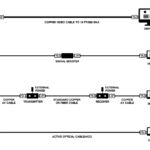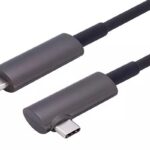
Short answer: the cable is the last thing a video wall project should leave undefined, and the first thing that causes callbacks. A video wall cable decision comes down to three checks — bandwidth per output, where sync actually happens, and how the run gets routed — and a fiber optic AOC clears all three at any distance up to 100 m. The seven mistakes below are the ones that turn a clean install into a re-pull.
If you need the hardware background first, it is covered in what an active optical cable is. The scenario-level view is on our LED signage and video wall solutions page. This page is the specification checklist.
Seven AOC Mistakes to Avoid When Specifying Video Wall Cable
1. Ordering bandwidth the outputs do not actually carry
Start from the controller, not from the wall. Each output on a video wall processor feeds one run, and that run only needs to carry the format of the panel or receiving card behind it. The DisplayPort 1.4 HBR3 link runs at 32.4 Gbps (8.1 Gbps per lane), which carries 4K@60 4:4:4 uncompressed — the working format for the vast majority of LED cabinets and LCD tiles. Formats above that, such as 4K@144 or 8K@60 4:4:4, ride on DSC 1.2 compression, which every part in our DP 1.4 range supports.
The mistake is assuming a single number covers the wall. A 4K@120 or 8K layout that the sales sheet says is “supported” may depend on DSC being enabled at both ends. Ask the controller vendor which format each output delivers, then ask us to confirm the video wall cable holds that format at that length — the two answers have to match.
2. Paying for sync the cable cannot deliver
This one saves money: cable length does not affect video wall sync. Synchronisation between panels is produced by the processor or the sending cards, not by the copper or glass carrying the stream. An optical link adds a fixed, tiny latency per run, and it is the same tiny latency on 2 m and on 80 m.
Walls fall out of sync for other reasons: mixed output card types, scalers with different latencies, panels set to different refresh rates, or a playback source without a genlock plan. No cable — and no premium “sync cable” — fixes any of those. Spec the sync architecture at the processor level and buy the cable on bandwidth, distance and routing.
3. Running copper past the power supply racks
An LED video wall is a wall of switching power supplies. The electrical noise around cabinet PSU banks and the cabling behind them is exactly where copper DP and HDMI links start showing sparkles, flicker and intermittent dropouts — the classic symptom that gets misdiagnosed as a “bad panel”.
Fiber does not care — and that is the real reason a fiber video wall cable earns its premium here. Optical transmission is immune to EMI and RFI, which is why an AOC run can pass right through a rack room, alongside mains cabling, without a shielded-tray detour. For a wall you service weekly, this is the single biggest reliability upgrade over copper.
4. Routing without a bend-radius plan
A video wall cable lives in the worst routing environment in the building: behind cabinets, through narrow conduits, across cable trays shared with mains. A thick copper DP cable fights all of it. Our hybrid construction — fiber cores plus tinned copper power conductors, cotton yarn buffer, thin PVC jacket — is built for tight bends and narrow trays, with custom lengths from 1 m to 100 m in set steps (1 / 2 / 5 / 10 / 20 / 30 / 50 / 80 / 100 m).
Two rules cost nothing at specification stage: keep the published minimum bend radius at every turn, and add a spare run to any concealed route. Once the wall is closed in, a damaged run is a demolition job, not a service call.
5. Forgetting the cable is one-way
Every video wall cable in the AOC family is directional: the source end converts electrical to optical, the display end converts back, and they cannot swap. Reversed, the high-speed lanes go dark — on a video wall that is one panel black while its neighbours run fine, which reads as a hardware fault and triggers a panel swap nobody needed.
Mark both ends during the pull, source and display, and read the labels before the run disappears into a conduit. The full mechanics, including why a reversed run can still report the right resolution, are in why fiber optic HDMI cables are directional — the same physics applies to the DP range.
6. Daisy-chaining every cabinet over MST
DP 1.4 supports MST multi-stream transport, and our AOCs pass it — daisy-chaining cabinets is legitimate where the layout is permanent and access is easy. The serviceability trade is brutal, though: in a chain, one failed cabinet or one damaged middle run takes everything downstream with it.
For walls that get serviced — rental, staging, retail where cabinets are swapped — run one video wall cable per output instead. Cable cost is trivial next to the labour of isolating a dead cabinet in a chain. Reserve MST for fixed architectural walls where the runs are inaccessible and the topology will never change.
7. Ordering one length for the whole wall
A wall with outputs at 6 m, 22 m and 55 m does not want three reels of “long”. Coiling 40 m of excess behind a cabinet hurts airflow and bend radius, and a run cut too short is unrecoverable. Order per run: a video wall cable is built to length and bonded at both connectors, so measure each path — including the vertical drops and service loops — and match the length step. Samples start at zero MOQ, so prove one run before the PO covers the wall.
The DP 1.4 AOC Range for Video Wall Cable Runs
| Part number | Connectors | Length | Where it fits a video wall |
|---|---|---|---|
| PDFC-1400 | DisplayPort – DisplayPort | 1–100 m | The default run: processor output to LED receiving card or tile controller |
| PMDC-1410 | DisplayPort – Mini DP | 1–100 m | Compact sending cards where only a mini connector clears the frame |
| PMDC-1400 | Mini DP – Mini DP | 1–100 m | Tight processors and short inter-cabinet hops |
| PADC-1400 | DP with lock screws | 1–100 m | Rigged and mobile walls: locks the connector against vibration and handling |
All four parts share the same core specification: VESA DisplayPort 1.4 HBR3 at 32.4 Gbps, HDR10, HDCP 2.2, MST and DSC 1.2 support, hybrid fiber-plus-copper construction, and no external power — the run is powered from the source’s own connector. The full range detail is on the fiber DisplayPort 1.4 AOC product page.
Questions We Get Before the PO
Can HDMI AOC be used for video walls instead? Yes, wherever the controller’s outputs are HDMI — our HDMI range covers the same 1–100 m span in 18 Gbps and 48 Gbps. DP is simply the more common output on video wall processors and sending cards, which is why the DP range leads here. The choice follows the controller, not the cable.
Does a longer video wall cable desync the panels? No. Sync is owned by the processor and the receiving cards; a fiber run adds the same fixed latency at 2 m as at 80 m. If a wall is out of sync, check output card types, scaler latency and refresh settings before touching any cable.
What length steps can we order? 1, 2, 5, 10, 20, 30, 50, 80 and 100 m as standard custom lengths. Anything between the steps is a custom build — send us the per-run list and we will match it.
Next step
Send us the wall plan — controller model, output count, per-run lengths and the format each output delivers. We will confirm which video wall cable holds that format at that length, quote per-run pricing, and ship a sample run before the full order. Request a quote — 0 MOQ on samples, custom lengths and OEM branding available.